Using the TCM
Manual throttle from the Accutroll app after the TCM is installed and calibrated.
Table of contents
Step 1: Open the TCM UI
After installation, open the Accutroll app to the device list and tap the TCM device tile. That launches the throttle controller.
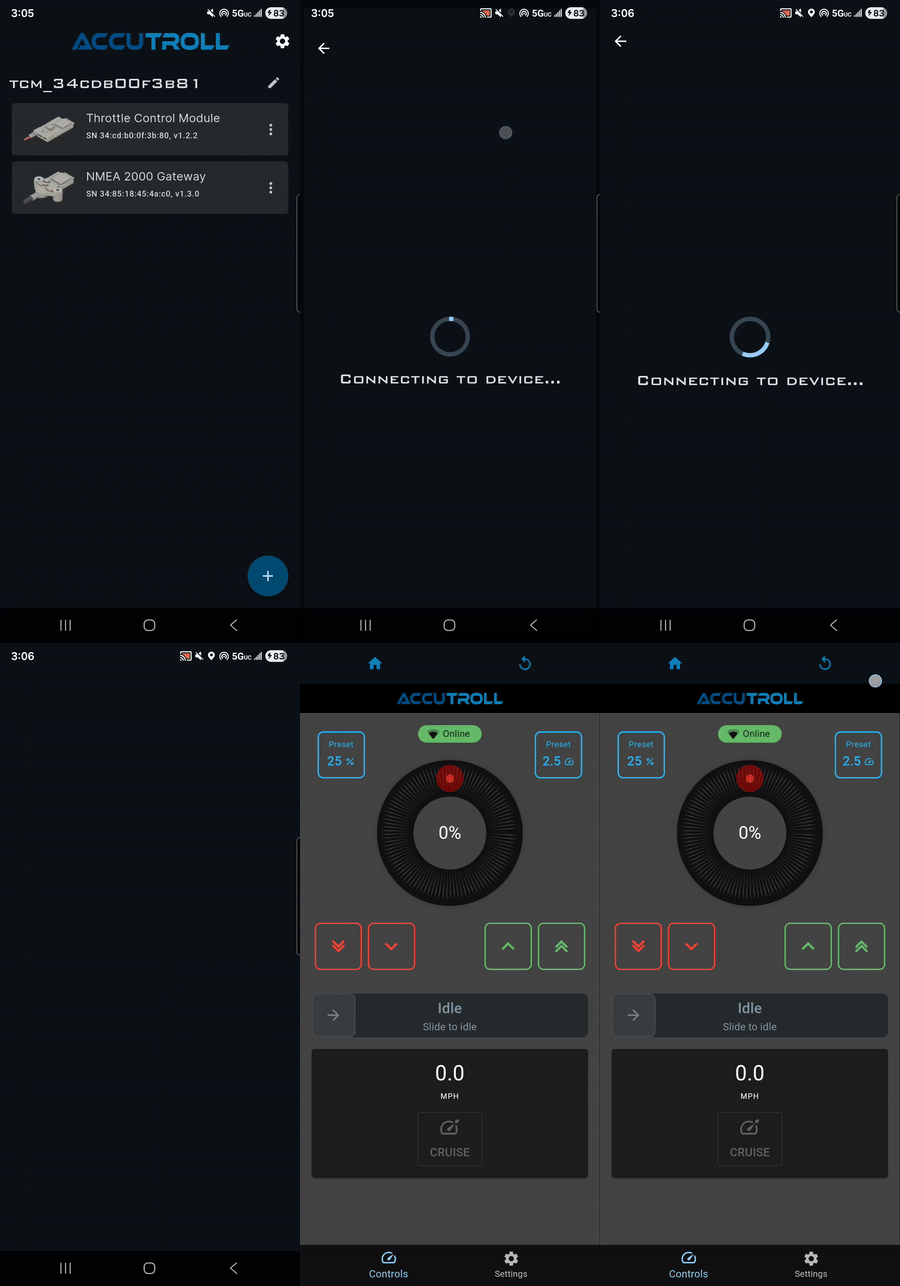
On first launch the app explains a throttle fail-safe. The app must stay in the foreground with the screen unlocked for a real-time connection. Navigating away, locking the screen, or taking a call can drop the websocket, and the firmware resets throttle to 0%. You can choose don’t show again, or disable throttle fail-safe. If you disable the fail-safe, you must kill the motor with the kill switch or key if app communications cannot be restored.
Step 2: Manual throttle
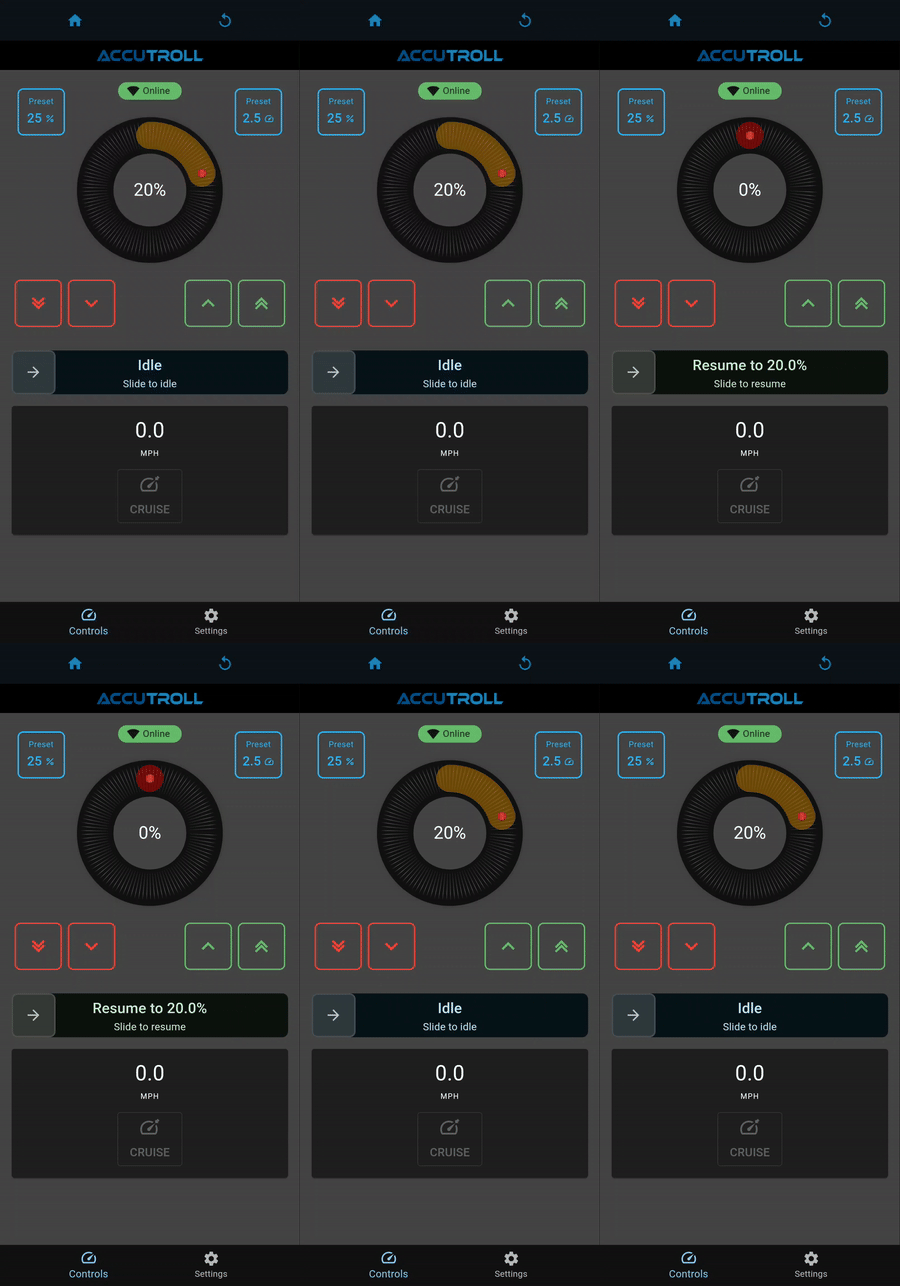
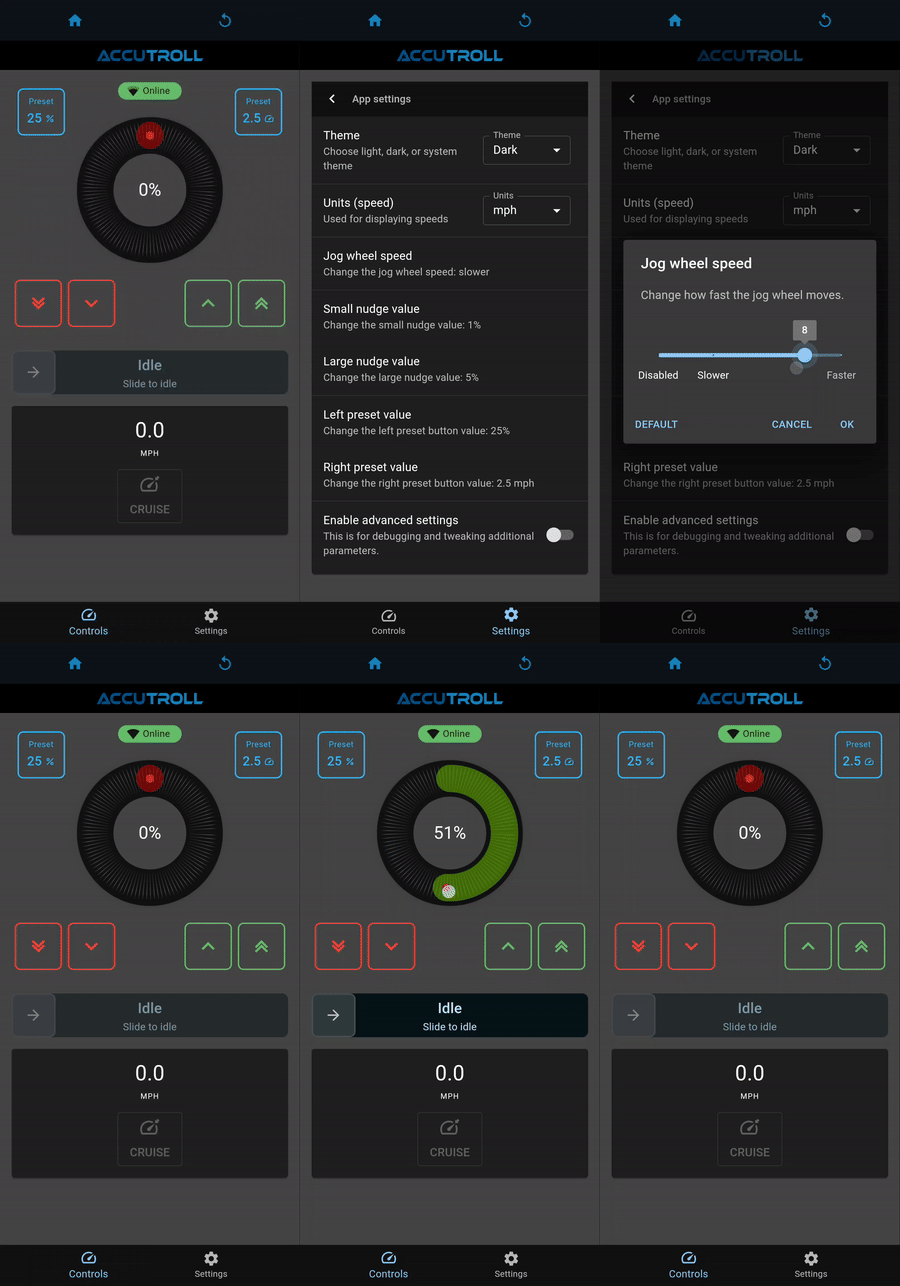
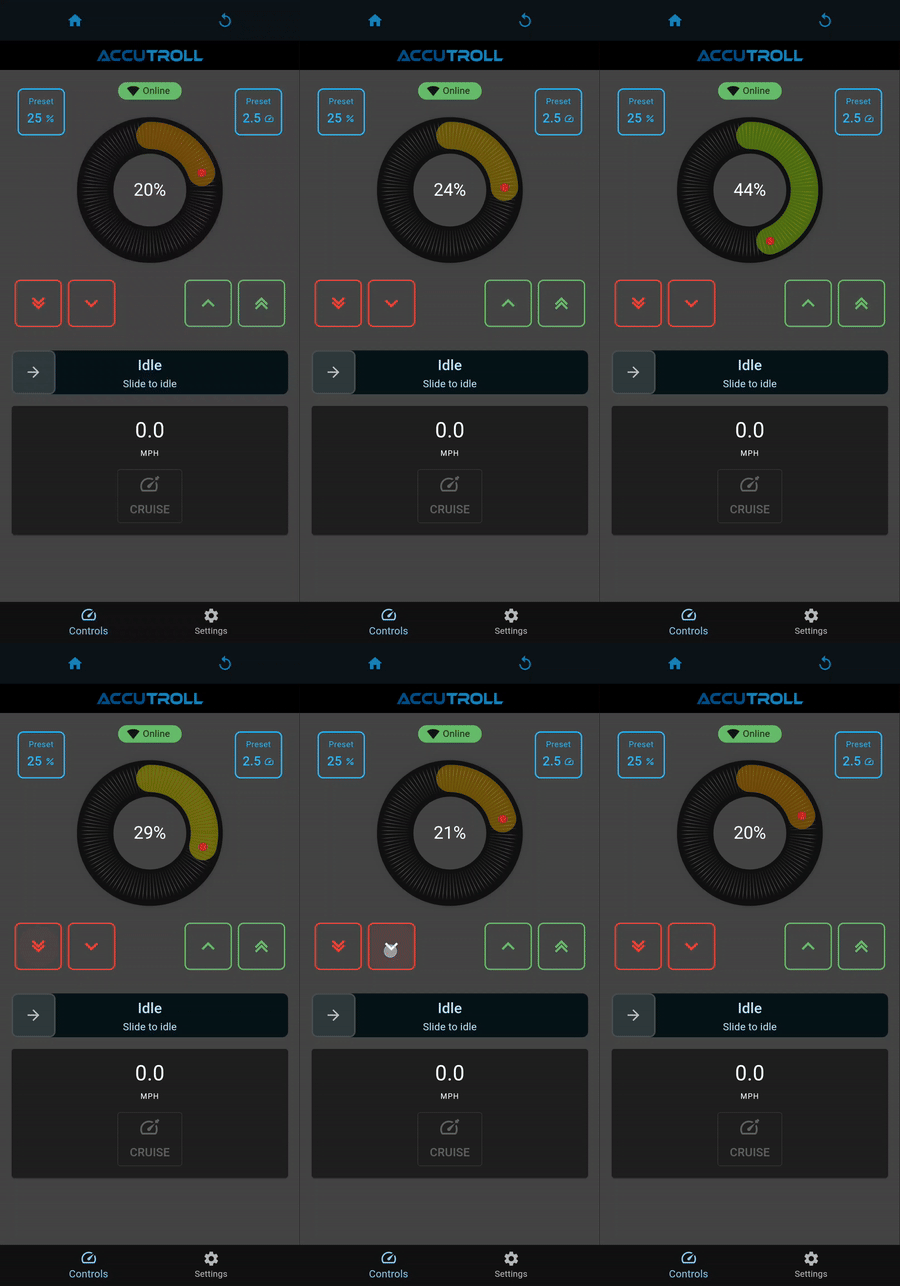
The TCM UI gives you precise manual control with a slider, jog dial, and nudge controls.
Use the slider for coarse throttle changes:
Use the jog dial for fine adjustment:
Use the nudge controls:
Swipe to IDLE to close the throttle. RESUME returns to the previous throttle setting.
Preset buttons recall a favorite trolling speed with one tap:
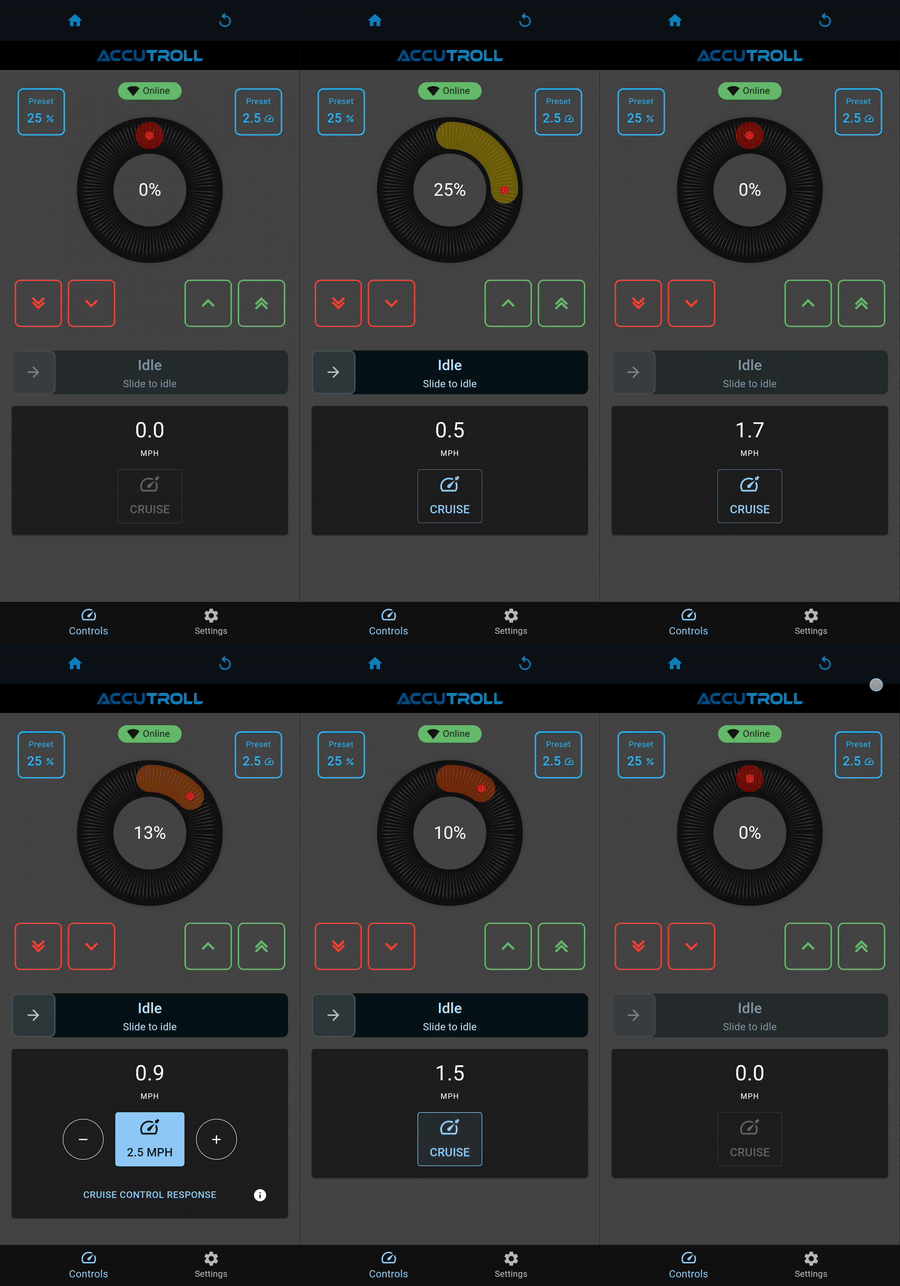
TCM-only control is manual throttle. Closed-loop cruise needs the NMEA2000 WiFi Gateway—see How Accutroll Works and Cruise Control.
Recalibrate
If you need to adjust the IDLE or FULL throttle positions, go through calibration again from Settings → Calibration. The full sequence is in TCM Installation Guide, Step 6.
Deep sleep
If the kicker stays connected to the battery for a long time, the TCM can enter deep sleep when battery voltage drops below a settable voltage threshold (the install video uses about 12.1 V as an example). If the TCM is unresponsive, it may be in deep sleep. To wake it, cycle the power off completely, then back on. Full deep sleep notes are on the TCM Installation Guide.
Next Steps
- Cruise Control — hold a target speed (requires the gateway)
- NMEA2000 WiFi Gateway Installation — speed feedback and the speed panel
- Bluetooth Remote (RC-01) — wireless Idle/Resume, throttle, and Speed Lock
Need Help?
- Email Support: support@accutroll.com
- Contact Form: accutroll.com/pages/contact