Cruise Control
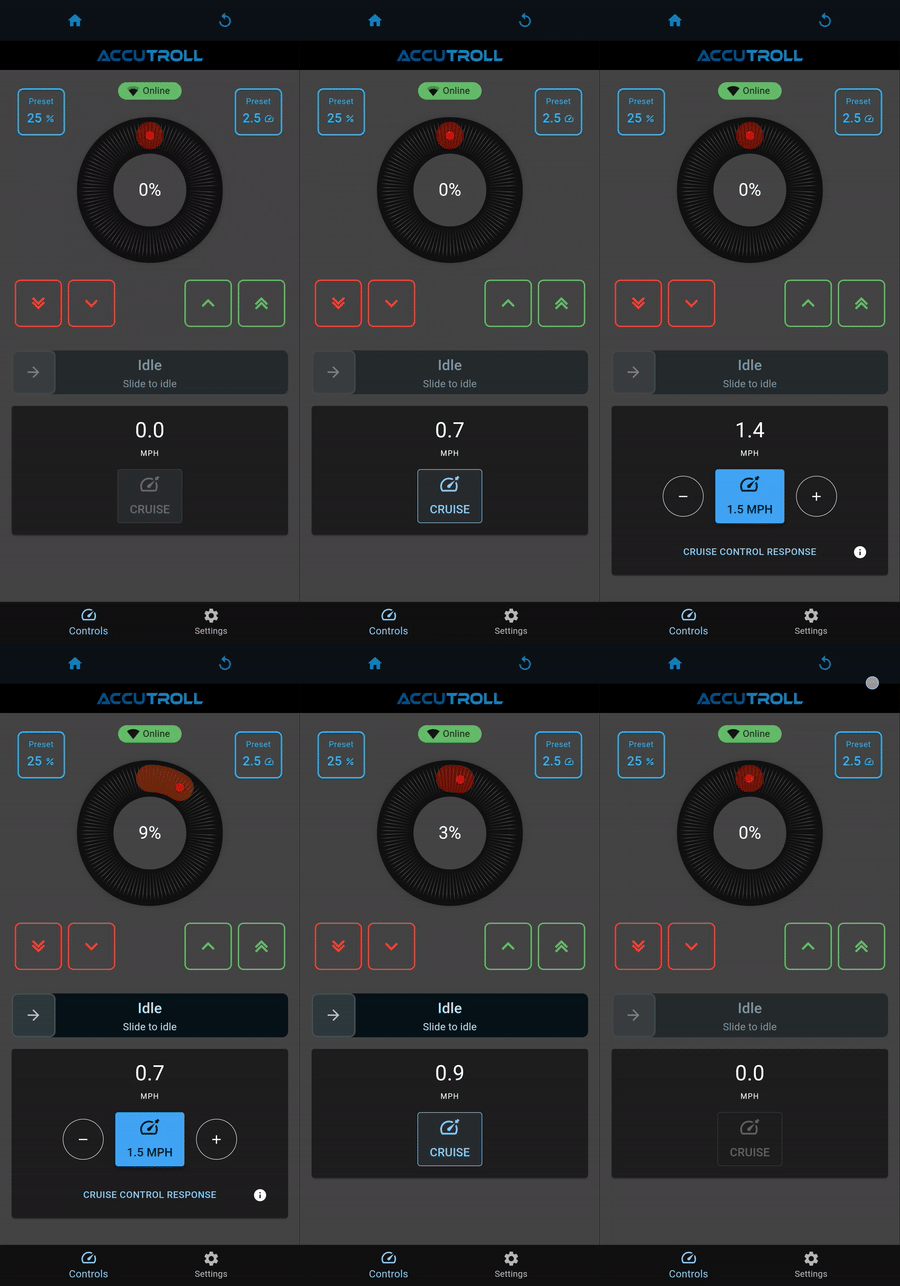
Closed-loop cruise holds a target trolling speed. The TCM adjusts throttle using speed feedback from the NMEA2000 WiFi Gateway.
Table of contents
- Before you start
- Cruise video
- Cruise control response
- Step 1: Sea-trial a baseline
- Step 2: Adjust for the boat and sea state
- If cruise hunts or is sluggish
Before you start
Cruise needs the gateway installed, devices linked, and the speed panel visible on the TCM UI.
- Install and calibrate the TCM — TCM Installation Guide
- Install the gateway, link it to the TCM, and select a speed source — Gateway Installation Guide
- Tap the TCM tile and confirm the speed panel is showing
See How Accutroll Works for the closed-loop picture: you command a target, the gateway provides speed, and the TCM moves the throttle.
On the RC-01, Speed Lock is the remote equivalent of hitting cruise. See Bluetooth Remote (RC-01).
Cruise video
Cruise control response
Cruise control response is the one adjustment for how aggressively the TCM changes throttle to hold speed.
- Range: 1–10
- Default: 3
- 10 = most aggressive
There is no universal value. It depends on your boat and motor.
Step 1: Sea-trial a baseline
Sea-trial in your regular conditions around ~2.5 mph, starting from the default of 3.
Step 2: Adjust for the boat and sea state
- Too low: slow to reach the target, “not reacting fast enough” — increase
- Too high: overshoot, hunt, or oscillate — decrease
After you have a baseline, move ±1–2 for sea state: sporty conditions → up a notch; calm → down.
If cruise hunts or is sluggish
- Sluggish / not reacting fast enough: increase Cruise control response.
- Overshoot, hunt, or oscillate: decrease Cruise control response.
A full (level 2) factory reset of the TCM wipes cruise “gains.” See How to Factory Reset Accutroll Devices.
Need Help?
- Email Support: support@accutroll.com
- Contact Form: accutroll.com/pages/contact