How to Factory Reset Accutroll Devices
Factory reset Accutroll devices with the gray magnet keychain. These steps cover the NMEA2000 WiFi Gateway and the TCM.
Table of contents
- Magnet placement
- NMEA2000 WiFi Gateway
- TCM — level 1 (network only)
- TCM — level 2 (full reset)
- When to use a factory reset
- After a reset
- Need Help?
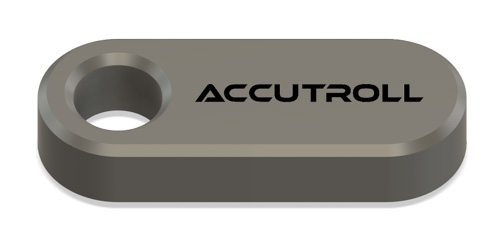
Accutroll devices are fully overmolded and have no mechanical buttons. Each device ships with a gray keychain that has an embedded magnet in the tip. A hall-effect sensor under the overmold detects the magnet and starts the reset.
The device must be powered (LEDs on).
Magnet placement
Place the magnet at the left edge of the metal can, halfway from top to bottom. Hold it there for the LED sequence below.
These steps apply to the NMEA2000 WiFi Gateway and the TCM.
NMEA2000 WiFi Gateway
Use this when the Wi-Fi passphrase was changed incorrectly or you cannot connect to the gateway.
- Confirm the gateway is powered (LEDs on).
- Hold the magnet at the placement described above.
- Keep it in place until the green LED fast-flickers, then goes out and stays out.
- Network credentials are reset.
Then re-scan the device QR code in the Accutroll app. Re-link the gateway to the TCM if needed. See Linking Accutroll Devices and the TCM Installation Guide.
TCM — level 1 (network only)
Same magnet placement as the gateway. This resets network settings only.
- Confirm the TCM is powered (LEDs on).
- Hold the magnet until the LED blinks, then goes out.
- Network settings are reset.
TCM level 1: hold until the LED blinks, then goes out. Remove the magnet there if you only need a network reset. Holding longer starts a full reset.
Then re-scan the QR code and re-link if needed (Linking Accutroll Devices).
TCM — level 2 (full reset)
A longer hold restores all parameters, including gains, to as-shipped.
- After the LED goes out (level 1), keep the magnet in place.
- Wait a few seconds until the LED turns back on and stays on.
- All parameters like gains are back to as-shipped.
TCM level 2: keep holding after the LED goes out until the LED turns back on and stays on. This wipes more than network settings. It is easy to go past level 1 if you are not watching the LED.
When to use a factory reset
- You changed the Wi-Fi passphrase and can no longer connect
- You need a TCM nuclear reset of gains
After a reset
- Re-scan the device QR code in the Accutroll app.
- Re-link devices if needed. See Linking Accutroll Devices.
- If you performed a full TCM reset, re-calibrate the servo and re-tune cruise response.
Need Help?
- Email: support@accutroll.com
- Phone: 206.705.3739
- Contact Form: accutroll.com/pages/contact